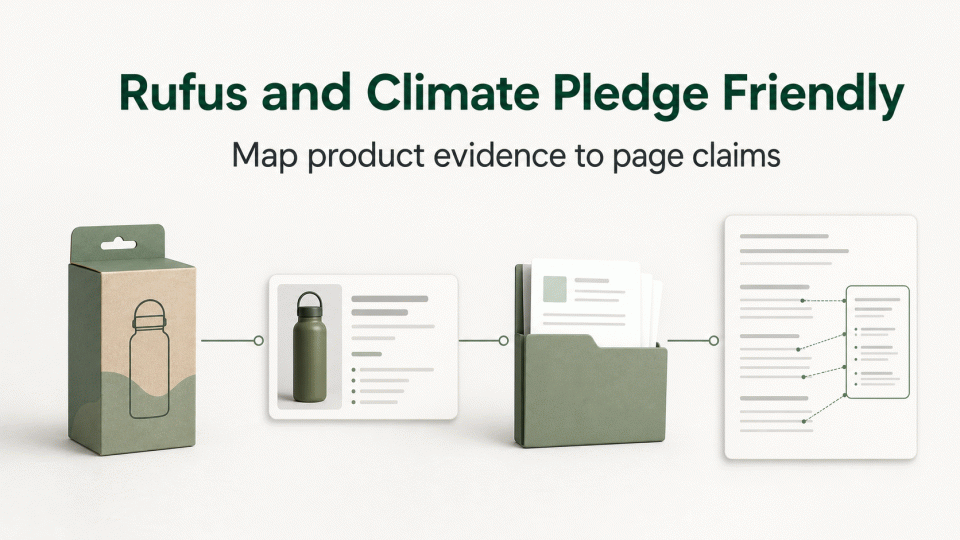
Rufus is Amazon’s shopping-focused AI assistant. Amazon says it can use product-catalog information, reviews, community questions, and other information to answer shopping questions, compare products, and make recommendations. Climate Pledge Friendly (CPF) is an Amazon program that helps customers identify products with sustainability features, generally supported by certifications recognized by the program or by Amazon-owned certifications. Neither replaces the underlying certificate, test report, or applicable legal requirement.
1. Separate the three records
Product record: capture the ASIN, variation, model, material or formulation, marketplace, and current page version. Do not treat a brand-level sustainability message as evidence for every item.
Evidence record: file the document that supports each claim: a certificate, scope attachment, transaction or supply-chain record, test report, calculation note, or authorization. The holder, product scope, standard, identifier, and date should map to the product record. A generic supplier file is not a substitute for that check.
Page record: version the title, bullets, description, A+ modules, attributes, and image text. A page may explain what the evidence covers, but “submitted” or “under review” must not be rewritten as “certified.” An attribute of packaging or one component must not be expanded to the whole product without support.
2. Rufus: improve factual clarity, not an AI outcome
Rufus can answer questions about product features, use cases, and comparisons. Amazon also notes that generative AI may produce inaccurate answers. Sellers can control the accuracy and relationships among page facts, fields, and evidence; they cannot promise a particular Rufus answer, ranking, or recommendation.
Review each sentence: Is the product name and model correct? Does the environmental attribute point to the right SKU? Do units, materials, certification names, and scopes match the source file? Is the marketplace and language clear? Remove unsupported absolutes such as “more sustainable,” “zero risk,” or “guaranteed to be recommended.”
3. CPF: verify the basis and ASIN mapping
Amazon’s CPF guidance describes cooperation with trusted third-party certifications to highlight products with sustainability features. Its creative guidance says the program mark must correspond to products that actually qualify; it must not be used for generic brand communication or placed beside products that are not covered.
Build an “ASIN—claim—certification or basis—scope—page field—current status” table. Confirm that the basis covers the complete product, rather than only packaging or one component. Check the holder, product description, marketplace, and file version, then use the relevant Seller Central help or support path to confirm submission requirements and status. Submission is not the same as badging; treat the account-visible Amazon status as the operative status.
4. Practical evidence checklist
Product: ASIN/model, variation, page and image versions, marketplace, composition, and whether the claim concerns the product or its packaging.
Basis: certificate or report number, issuing body, scope, standard, issue or update date, original-file location, and the public lookup or written confirmation used.
Page: evidence link for each environmental statement, permitted qualifiers, scope limits, Chinese and English versions, reviewer, and change date.
Platform: submitted ASINs, Amazon form or support path, submission time, receipt, follow-up requests, and current account status. Do not turn an internal tracker label into an Amazon confirmation.
5. Five checks before a page change
1) Lock one SKU/ASIN and marketplace; 2) verify holder and scope against the source files; 3) rewrite environmental claims as supportable fact statements; 4) review the title, attributes, description, image text, and English page separately; 5) retain submission and change records. If the product, formulation, supplier, packaging, or certification scope changes, reassess the existing wording before reusing it.