Amazon FBA fulfilment fees, storage fees and other selling costs can depend on the marketplace, product category, service, and the dimensions and weight of the packaged product. A packaging record is not a “compliance certificate”; it is product data used for catalog setup, fee estimates, inbound preparation and discrepancy review. Based on Amazon’s public FBA, pricing and packaging materials, this article presents an SKU-level checking method. Actual amounts and classifications should be checked against the current marketplace fee tables, Fee Preview or Revenue Calculator. It does not promise savings, inbound acceptance, platform eligibility or sales results.
1. Fix the product and packaging version first
Maintain one record for each SKU, including the ASIN where applicable, seller SKU, model or variant, marketplace, product dimensions and weight, packaged dimensions and weight, measurement date, packaging version and photo reference. FBA checks should use the packaged configuration required or used by Amazon; do not mix the bare product, inner pack and shipping carton in one field.
If one SKU uses different packaging, bundles or variants, state which configuration corresponds to the listing and inbound shipment. A change to the carton, protective material, sealing method or bundle quantity should create a new version and trigger a new measurement. Do not infer new fees from an old package record.
2. Record dimensions, weight and the measurement method
State the unit and order for length, width and height, and state whether the recorded weight includes the selling package. Use consistent tools on a flat surface and measure the finished package in a condition that is not compressed or bulging. For soft packaging, protrusions or irregular products, retain photos and notes. Repeated measurements may be recorded as an internal check, but they should not be presented as Amazon’s final classification.
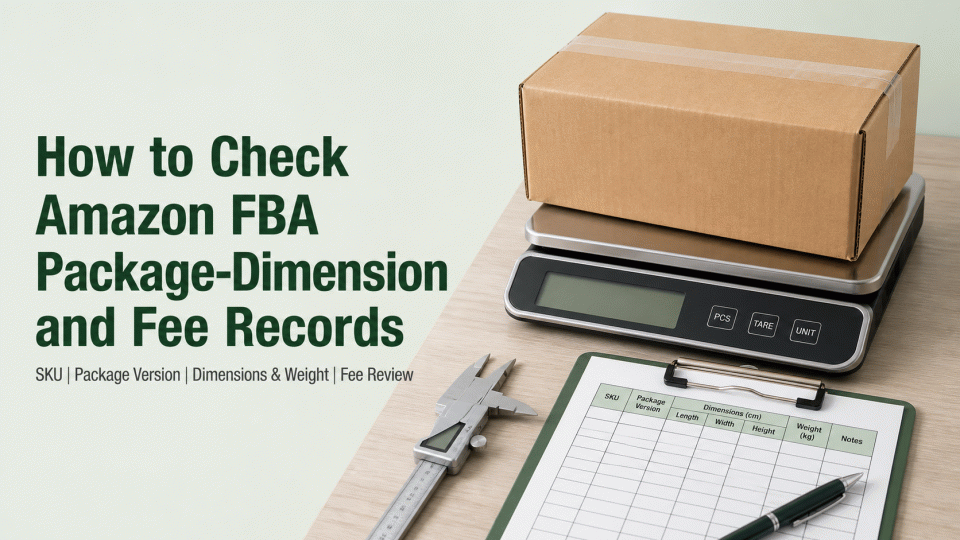
A useful table includes SKU, packaging version, length, width, height, packaged weight, measuring tool, operator, date, photo path, data source and open questions. This lets the team distinguish supplier samples, warehouse rechecks and the dimensions displayed in the Amazon account when a discrepancy appears.
3. Connect package data to the fee review
Amazon’s public FBA information explains that fulfilment costs can depend on product category, size and weight, while storage costs relate to the space inventory occupies and the period it is stored. Use the current marketplace fee table, Fee Preview or Revenue Calculator with the same product and package version, and save the marketplace, calculation date, rate version and result record. Calculator outputs are estimates, not a guarantee of the amount charged.
If the dimensions, weight or fee shown in the account differs from the internal record, first preserve the relevant report or fee-detail fields, then review the measurement source, package configuration, product classification and fee type through the current Seller Central process. Do not replace marketplace data with a fixed amount, universal size threshold or claim that packaging will necessarily reduce fees.
4. Separate FBA preparation files from product files
FBA packaging, preparation and labelling materials concern inbound handling and delivery preparation. Product regulations, material declarations, dangerous-goods information, food-contact requirements and other market obligations belong to separate decision paths. Whether a document is needed depends on the product category, material, use, destination and current Amazon page; a column labelled “certificate” does not make every document applicable to every SKU.
Archive these files separately: product specification and package artwork, dimension and weight records, label and barcode artwork, FBA preparation instructions, dangerous-goods or transport information where applicable, marketplace fee records and original platform-support correspondence. A supplier document is relevant to the SKU only when its entity, model, version and scope can be matched.
5. Handle discrepancies, changes and review evidence
When account data differs from a physical measurement, record the disputed field, both data sources, measurement conditions, package version and discovery time before deciding whether to remeasure, update product data or contact Seller Central support. Keep the original photos, measurement record and submitted material. “Submitted for review” must not be rewritten as “approved.” The platform’s classification, fee and handling decision should be taken from the current account record.
When packaging material, dimensions, bundle quantity, supplier or marketplace changes, recheck the affected fields and listing information. Keep older records for auditability, but mark their version and scope clearly so they are not reused for a later shipment.
6. Check page wording and source boundaries before publication
The title and summary should describe an FBA package-dimension, product-data and fee-review method. They should not imply that Amazon, customs or a regulator has issued a certification or approval. Avoid fixed savings, universal rates, automatic exemptions, guaranteed inbound acceptance, guaranteed reinstatement, penalty percentages, detention or recall outcomes, and fixed processing times. Do not describe the services of GreenArk (Shenzhen) Certification Co., Ltd. as an Amazon or regulator decision.
Before use, manually recheck the relevant Amazon marketplace pages for FBA fees, packaging preparation, Fee Preview and the Revenue Calculator. Also check the marketplace, currency, units, package version and data date in the article. Source pages and rates change; this article is an evidence-organisation reference, not a substitute for a SKU-specific account review.
Sources: Amazon Seller Central / Sell on Amazon materials on FBA, selling fees, packaging preparation and fee estimates, including FBA cost guidance, the Revenue Calculator, Fee Preview and packaging preparation/optimisation pages. This is a product-record reference, not a substitute for current marketplace rules or an account-specific conclusion.