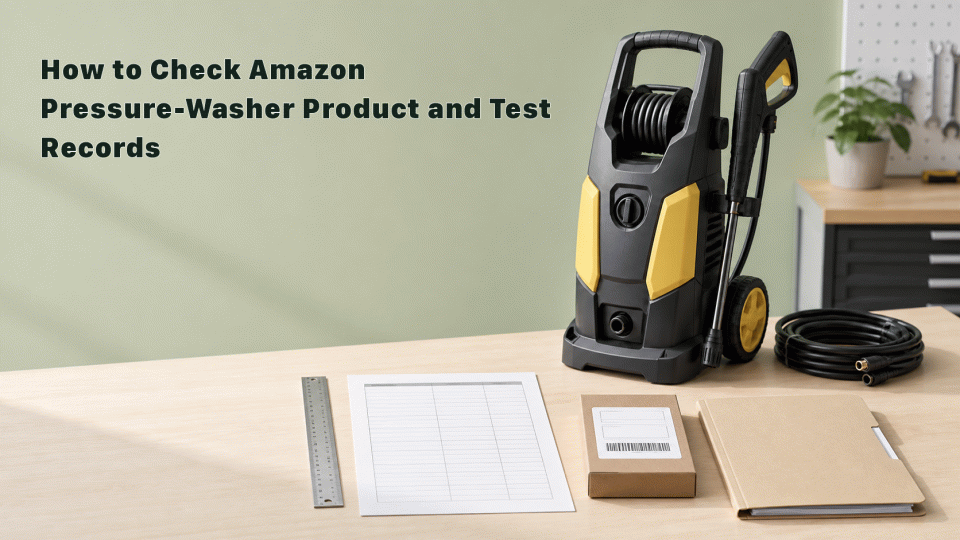
Checking Amazon records for a pressure washer is not a matter of attaching one generic certificate or test report. The documents requested for an ASIN or SKU can depend on the marketplace, product configuration, power supply, accessories, labels, instructions and the current task shown in Amazon’s seller tools. This reference page focuses on matching product identity, technical files, market scope and submission records. It does not turn an internal review into an approval, certification or final classification by Amazon, customs or a regulator.
1. Fix the SKU, model and marketplace
Create a version record for each SKU with the brand, model, variant, ASIN where applicable, GTIN, rated voltage and frequency, rated power, maximum working pressure, flow rate, spray-gun, hose and connector configuration, target marketplace and production batch. Recheck the record after changing the motor or pump, power cord, accessories, packaging or product design.
A product name alone does not establish the requirements for every country. Record the target marketplace, importer, manufacturer details, label language and instruction version, then review the actual request shown for the ASIN or SKU in Seller Central’s Manage Your Compliance, Compliance Reference or current help pages.
2. Match technical files to the physical product
Organise the technical file into product specifications, structural and electrical information, risk identification, user instructions and package labels. For powered equipment, keep the rated parameters, grounding or insulation information, protective devices, connectors and accessory versions. For a set containing water-path parts, hoses or spray guns, record whether those parts were included in the tested sample and the selling configuration.
Photos, rating plates, packaging and instructions should point back to the same model, version and production batch. A supplier document is relevant only when the legal entity, model, configuration, sample and scope match the SKU. Do not reuse a document for another model, brand or marketplace without a documented basis.
3. Check the boundary of third-party test records
When testing or inspection is needed, identify the applicable market, product category, standard and version before reviewing the report. Check the applicant, manufacturer, model, sample description, test items, results, dates and issuing organisation. Verify laboratory status through the laboratory’s public information and the report itself; a mark on a document alone does not prove that Amazon has accepted it.
Do not replace the report’s date, scope and validity with a universal “24-month rule.” Whether a report needs an update, extension or new submission depends on the applicable law, standard version, product change and the current Amazon task. Configurations, accessories or markets not covered by the report must not be added to the page claim.
4. Keep platform records separate from legal records
Amazon product tasks, safety-document requests and account submissions are evidence of a platform process. Import, product-safety, labelling, electrical-safety or dangerous-goods requirements may come from laws and authorities in the destination market. The two paths can reference the same source, but an upload task does not prove that a legal obligation is complete, and a legal document is not automatically an Amazon approval.
Keep the original PDFs, sample photos, specification versions, submission screenshots or exports, platform receipts and later correspondence. Name records with the SKU, marketplace, version and date. “Submitted,” “additional information requested” and “under review” should remain process descriptions rather than being rewritten as “approved.”
5. Record discrepancies before taking action
If the listing, rating plate, supplier file or test report contains different information, record the disputed field, source, discovery time and affected version before deciding whether to remeasure, add evidence, correct the listing or contact Seller Central support. Do not describe every product as automatically subject to delisting, detention, recall or a fixed penalty.
After a supplier, factory, electrical component, label or target marketplace changes, recheck the affected files and page claims. Keep older records for traceability, but mark their version and scope so they are not reused for a later batch.
6. Review facts and wording before publication
The title and summary should describe a method for checking pressure-washer product files, technical documents and test records. They should not imply one universal Amazon “verification requirement,” a fixed processing period or a guaranteed outcome. Pressure, power, standards, marketplace and test conclusions must be traceable to a specific product record or source. Do not add unsupported certification, ranking, pass-rate, reinstatement or sales promises.
Before publication, manually review the current Amazon product-compliance entry point and ASIN task for the target marketplace, then recheck the applicable law, standard version, label language, importer and product changes. GreenArk (Shenzhen) Certification Co., Ltd. may provide a documentation reference or review service, but it does not replace a decision by Amazon, customs or a regulator.
Sources: Amazon Sell on Amazon public guidance on Manage Your Compliance, Compliance Reference, global product compliance and listing requirements. The exact task, document type and status should be taken from the current Seller Central page for the target marketplace. This is a documentation reference, not an account-specific or market-specific conclusion.