Who this is for: Brand, procurement and supply-chain compliance teams preparing evidence for products considered for Amazon Climate Pledge Friendly (CPF).
Bottom line: A supplier certificate, Transaction Certificate (TC) and invoice should never be accepted merely because the documents carry the right logo. CPF is product-focused. The current Seller Central workflow, the relevant certification scheme and the certifier determine the acceptable route and evidence. This article provides a pre-submission document review method; it does not describe Amazon’s internal review rules or promise a badge or approval.
1. Build a product-to-evidence register
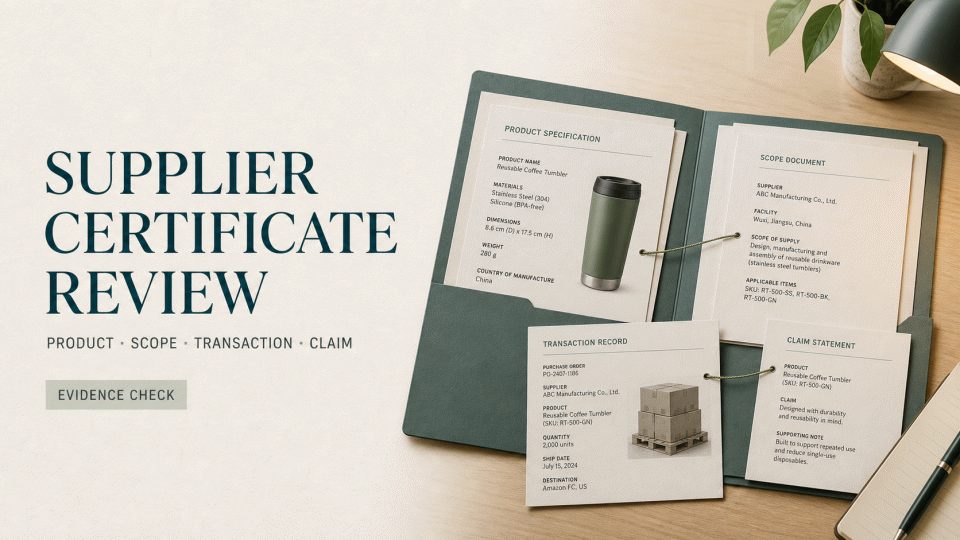
Use one row per ASIN. Record the ASIN, brand and product name, certification path, certificate number, certificate holder, covered product or material, validity dates, supplier, order or batch, TC number, submission date and document source. One certificate may cover several products, but do not assume that every ASIN is covered until the scope and transaction evidence match.
Also separate a factory or organisation certificate from product-level evidence. A supplier’s facility certification is not automatically proof that the product in your listing qualifies for CPF. Start with the certification paths recognised by the current programme and collect the evidence required for the actual product.
2. Six checks for the supplier package
Check 1 — identity and validity
Check the certificate number, holder, certifier, issue date, expiry date and status. If the holder differs from the seller named on an invoice or TC, do not infer an affiliate relationship. Ask the supplier to explain the transaction parties and obtain confirmation from the certifier where the scheme requires it. Do not use a certificate that is expired, suspended or withdrawn.
Check 2 — scope for the product and site
Read the certificate and its scope appendix. Match the product category, material, processing activity and production site. A logo on the first page is not a universal product approval. When a site name, translated address or building detail is unclear, keep the written explanation from the supplier or certifier instead of treating a similar place name as proof of coverage.
Check 3 — TC, order, batch and parties
Where the certification path requires a TC, match its number, issuing body, buyer and seller, product or material description, quantity, batch, order reference and issue date. A TC supports only the transaction or batch it identifies. Before reusing one file across ASINs, show that the ASINs belong to that same supported batch. If several trading parties appear in the chain, retain the evidence for each relevant step; an upstream company’s certificate is not a substitute for evidence about the current transaction.
Check 4 — percentages and claim wording
Any “recycled,” “organic,” “sustainable,” “mass balance” or percentage claim in a listing or submission needs supporting evidence. Mass balance does not mean that every physical item contains the same quantity of certified input; ISCC PLUS and other schemes define their own chain-of-custody and accounting rules. If the file set cannot support a precise percentage, remove the number, describe the certified scope accurately, or ask the certifier first.
Check 5 — current standard version
Standards change and transition dates differ. Before publication or submission, check the certification scheme, certifier and current Seller Central instructions, and record the verification date. Avoid presenting an unsupported fixed rule such as “all suppliers must use version X” or “every submission requires 90 days of remaining validity.”
Check 6 — an auditable evidence trail
Name files consistently with the ASIN, scheme and date. Keep the original PDF, download source, review notes, supplier explanations and final submission file. When documents conflict, record the issue, owner and missing evidence. Do not “fix” a certificate by renaming files, cropping pages or adding fields yourself.
3. What to do when a check fails
- Pause the questionable certificate or TC and mark the affected ASINs and orders.
- Request the missing page, complete scope, upstream TC or written confirmation from the certifier.
- Keep product facts, certification facts and platform-submission facts separate. Never describe “in application” as “certified.”
- Before submission, confirm that the title, image, listing claims and evidence all refer to the same product.
4. Internal checklist
ASIN | Product | Certification path | Certificate number | Holder | Certifier | Product/site scope | Validity | TC number | Order/batch link | Basis for any percentage or environmental claim | Current Seller Central requirement | Missing evidence | Reviewer | Review date.
Scope note: This is a document-review framework. Amazon and the relevant certification scheme or certifier determine the recognised paths, submission route, file format and outcome. Amazon’s public guidance says that products should first obtain an eligible certification and then be submitted through the applicable route; environmental or green claims should have appropriate substantiation. Recheck Seller Central and the certifier’s current pages before submission. This article is not a certification, legal or platform-outcome guarantee.
Sources: Amazon Sustainability Features; Amazon Climate Pledge Friendly Creative Guidelines; ISCC PLUS; ISCC mass-balance guidance; Textile Exchange Materials Matter Standard; GOTS Version 8.0.